




What if your tests don’t reflect the state of production?
by Perfluencer

After continuous development, deployment and testing comes continuous validation.
But how to act if your test results don’t match with the statistics from the live product?
Here are a few steps to help you understand the discrepancies:
– Validate the load profiles executed on production against your tests.
Having the load test statistics in the same platform as your production system helps a lot in a cross-environment comparisons
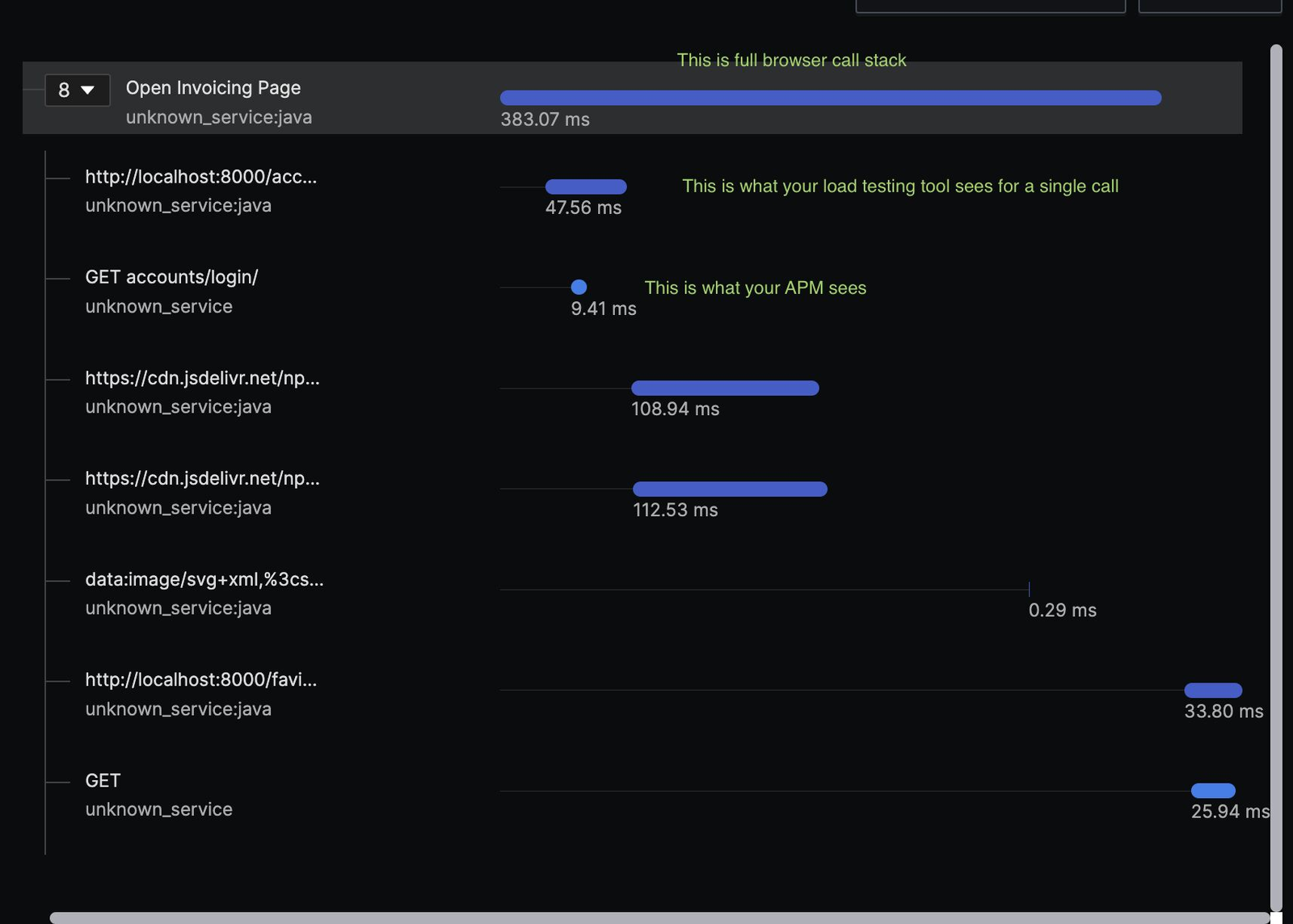
– Compare the traces of slow transactions to understand the difference between the calls. The difference usually stands out as the slowest call. It could be some I/O operation, a slow sql query, a difference in how your customers use your services
– Check if the configuration of your test environment was appropriately scaled
– Validate resource usage
– Check for any errors, stuck threads and for any abrormal metrics
After you have identified the differences, make changes to your test plan to account for them, change your test scripts, configuration to make sure you get your numbers closer to production.
Remember that worse test results don’t mean you did a worse job. If you do testing right, it’s quite the opposite
Share this content:





Post Comment